Three conditions, and which one is missing
An unfilled limit order waits on one of three conditions
A line in Open Orders means the exchange has your order and is still waiting on something. Here is what has to line up before a limit order executes, and when the waiting stops being worth it.
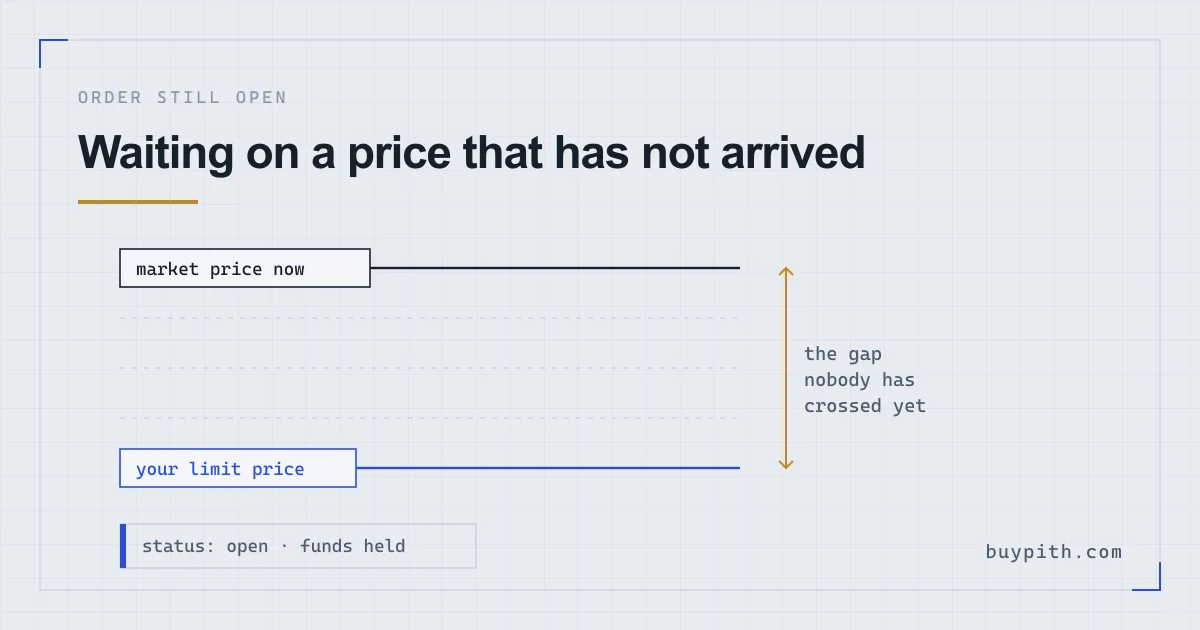
An order sitting in Open Orders has not failed. It fills only when the market reaches your price, when somebody is there to sell to you, and when your turn in the queue comes round while that lasts — and it is usually the first of those you are waiting on.
Still, the silence is unnerving. You set a price, pressed Buy, and nothing happened: no coins in the wallet and no error message to read. Just a line in a tab, and an hour later it is still there.
So the useful question is which of the three conditions has yet to be met. Two of them you can do something about. The third you cannot.
Open, or never placed at all
Before anything else, work out which of these your order is. On Binance spot the tabs sit under the chart on the website and under the trading panel in the app.
- Open Orders — the order exists, it is on the book, and the exchange is holding your money against it. Nothing is wrong.
- Order History with a status of Canceled — the order went in and came back out, either because you cancelled it, because you edited it, or because the balance behind it fell short.
- Nothing anywhere — the order never reached the book. Look at the buy panel again: a rejected order usually leaves a red message near the amount field, and the most common cause on a first attempt is a limit price the platform will not accept (more on that below) or an order value under the pair minimum.
- Trade History with a fill — the purchase happened, and the coins are somewhere other than where you are looking. Where do my coins go covers that part.
Only the first case is the one this page is about.
The three conditions, in Binance’s own words
Binance publishes the rule outright. A limit order fills when three things hold at once: the market price has reached your limit price or better, enough liquidity exists to match it, and the order gets enough time to be executed.
During a fast move, it may not get that time.
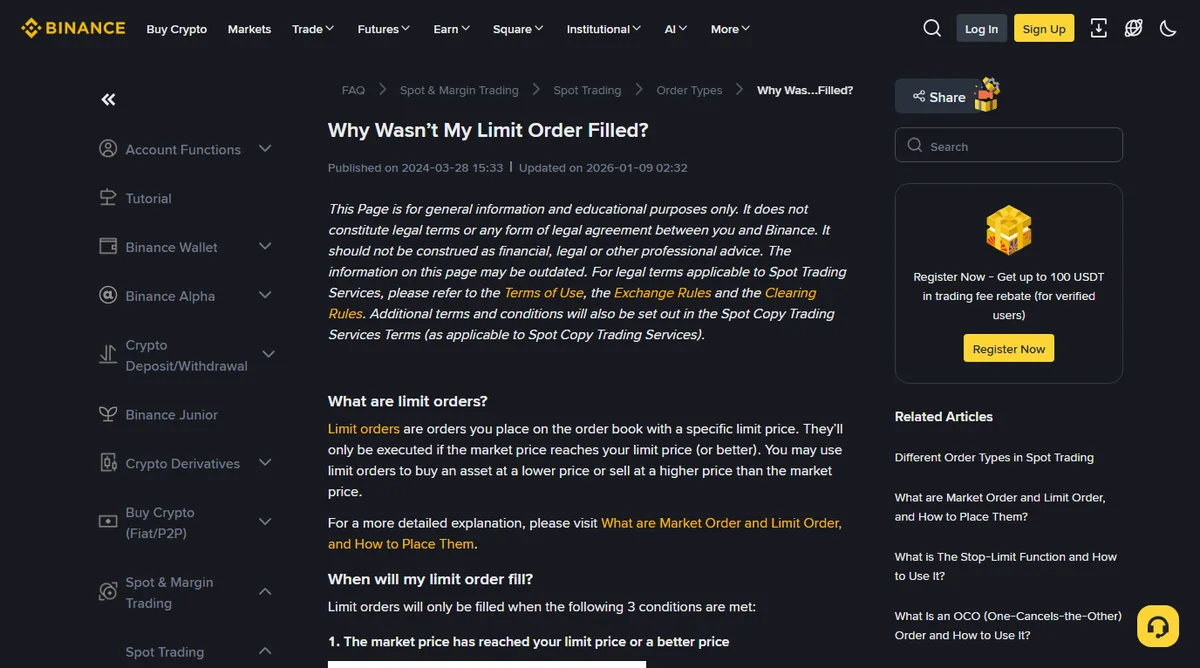
Condition one is the one everybody understands. You asked to buy below the market, the market has not come down to you, and so the order sits. For a buy order set well under the current price, that alone explains it; the market has to move, or you have to.
Conditions two and three are the ones that catch people out. They let the price touch your number and still leave you empty-handed.
The price touched your number and nothing happened
Here is the complaint that sends people to support, and it comes down to one of two things.
Liquidity. Your order needs somebody on the other side of it. Binance’s page gives the blunt version: if the market price sits at your level but no sell orders are there, the buy order will not execute. On a big pair like BTC/USDT you will rarely meet this. On a thin pair, where the visible price comes from occasional small trades, you can meet it constantly.
Queue and time. Orders at the same price are worked through in the order they arrived. If the price dips to your level for four seconds and the orders in front of yours absorb everything available, the price leaves again before your turn comes. Binance describes it as the order not reaching the end of the book for execution during periods of high volatility. On a one-minute chart it looks as though your price printed; in the book, it never got to you.
Worth knowing: the chart price and the price your order lives at are measured differently. A candle low is the last traded price at that moment. Your buy order matches against the ask side — what sellers are asking — which sits slightly above it. A candle that dips to exactly your limit price can leave the asks a hair higher the whole time.
Half a fill is its own state
An order can also come apart into pieces. If there was enough on the other side for part of your order, that part executes and the rest stays open — Binance says as much on the same page. You end up holding some of the coin, with the remaining amount still waiting and still tying up money.
Fees follow the pieces. Each partial execution is a trade of its own, so the maker or taker fee applies to the amount that filled — what fees am I actually paying sets out how the two rates differ.
The other trap is the wallet. A small balance appears, and it reads like the whole purchase went through.
Your money is held, not spent
While a buy order is open, the amount behind it is reserved. In the spot wallet that shows as a locked or in-order balance rather than an available one. Hence the odd moment where a withdrawal or a second purchase is refused for insufficient funds while the headline number on the dashboard looks fine.
Cancelling releases the reservation. It costs nothing and leaves no mark on the account: a limit order that never filled is simply a request withdrawn.
What cancelling cannot touch is a fill. Any portion that already executed is a completed trade, and what you can and cannot reverse goes through why that door closes so fast.
Editing the order costs you your place in line
Binance’s help page on modifying an open limit order states it plainly: once you edit an order, the previous order ID is cancelled and a new one is created. Your order goes back to the end of the queue at its new price, and if the balance is no longer sufficient the edit cancels the order outright. Nudging the price up three times in ten minutes can leave you behind every order you were ahead of.
There is also a boundary on where you can put the price at all. A limit price far enough away from the market is refused at entry rather than accepted and left to wait; how far is too far depends on the pair, and the order form says so with an error the moment you submit. That is one of the ways an order never appears anywhere.
Deciding to stop waiting
An unfilled order is a choice still running, not a fault to be fixed, so the decision goes back to what you wanted in the first place.
- You picked the price for a reason. Then waiting is the plan working. Leave it, and check that the order is not set to expire before you next look at it.
- You picked the price to save a few cents. A first purchase where the limit was set a fraction under the market to feel clever is the common case, and it can sit unfilled for days while the thing you meant to own carries on without you. The saving was never the point of the exercise.
- You want to own it today. Cancel and buy at market. You pay the spread instead of the wait; market order or limit order lays out what each one trades away.
Between the second and third, my leaning on a first purchase is to cancel and take the market price, because the amount at stake is usually small enough that the difference comes to cents, while an order that never fills can keep someone out of the market for a fortnight. A limit order earns its keep later, when the sums are bigger and a bad fill costs more than the wait.
One habit worth picking up before the next one: check the time-in-force setting on the order form. The default on spot is good till cancelled, so an order you forget about can still be live weeks later, and can still fill at a moment you would no longer choose. The full walkthrough shows where that setting sits on the buy panel.
Questions people actually ask
How long can a limit order stay open?
On spot, an order left on the default good-till-cancelled setting stays live until it fills or you cancel it, with no expiry of its own. Check the order form for a time-in-force option if you want it to lapse instead.
Does an unfilled order cost me anything?
No fee is charged for placing or cancelling one. The cost is that the money behind it is held and cannot be spent or withdrawn while the order is open.
The price on the chart went below my limit price. Why did nothing fill?
A buy order matches against what sellers are asking, which sits slightly above the last traded price the chart shows. Orders already in the queue at your level also get served first, so a brief dip can pass you by entirely.
Part of my order filled and the rest did not. Is that a problem?
It is normal. The filled part is a completed trade and the coins are yours; the remainder stays open until it fills or you cancel it. Fees apply to the amount that actually executed.