Step 06 · the two buttons
Market order or limit order for your first buy?
These get explained as a personality test — patient versus impatient. That is not what they are. They are two different instructions to a matching engine, and knowing what each instruction does makes the choice obvious for a first purchase.
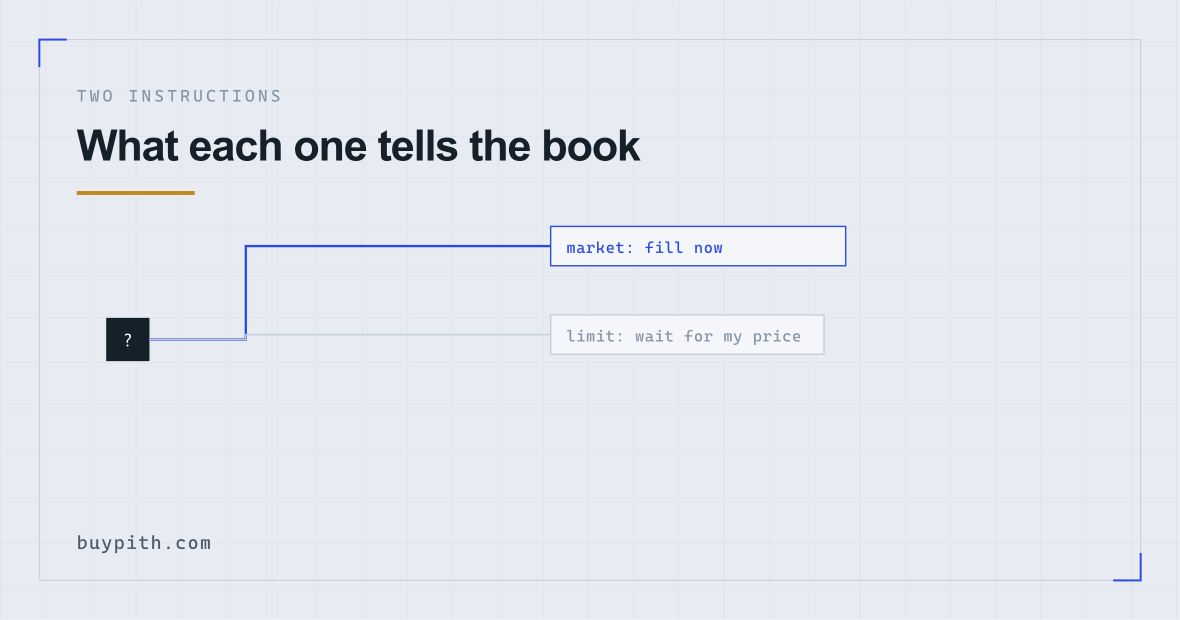
An instruction to buy now at whatever the book offers. Certain to fill, uncertain in price. Charged the higher fee tier on most platforms because it takes liquidity out of the book.
An instruction to buy only at your price or better. Certain in price, uncertain whether it fills at all. Usually the cheaper fee tier, because it adds liquidity by waiting.
What is actually on the other side of the button
An exchange keeps an order book: a list of everyone currently willing to buy, with the prices they will pay, and everyone willing to sell, with the prices they will accept. The highest bid and the lowest ask are not the same number, and the gap between them is the spread.
Your order is an instruction about how to interact with that list.
A market order says: fill me now, take whatever is available. The engine matches you against the cheapest sell orders sitting in the book until your order is filled. You get the asset immediately, at a price determined by what happened to be there.
A limit order says: fill me only at this price or better. If somebody is already selling at or below your price, it fills immediately. If not, your order joins the book and sits there until either someone meets it or you cancel it.
That is the entire mechanic. Everything else follows from it.
What each one trades away
| Market | Limit | |
|---|---|---|
| Will it fill? | Yes, essentially always | Only if the price reaches you |
| At what price? | Whatever the book gives you | Your price or better, guaranteed |
| Fee tier | Usually the higher one (taker) | Usually the lower one (maker), if it rests |
| Main risk | Filling at a worse price than you saw | Not filling, and watching the price leave |
| Attention needed | None | You have to come back and check |
The fee difference is real and worth understanding. Exchanges charge less to orders that add liquidity by resting in the book and more to orders that remove it by filling immediately. That is why patience is priced. The two rates are published on the fee schedule, and the gap between them is meaningful at volume and small on a first purchase.
The slippage question, honestly
The standard warning about market orders is slippage: your order eats through the cheapest sell orders and finishes at a worse price than the one displayed.
On a liquid pair — bitcoin against a major currency on a large exchange — and at the size a first purchase involves, this is close to irrelevant. The book has far more depth at the top than your order will consume. Warnings written about slippage are mostly written about large orders or thin markets, and applying them to a $200 bitcoin purchase overstates the risk considerably.
Where it genuinely matters: small or obscure assets with thin books, and moments of extreme volatility when the book empties out. Neither describes a first bitcoin purchase on a normal day.
Not the order type at all — the interface. The simplified “buy crypto” widget is effectively a third option, and it typically prices above both, because its markup is folded into the quoted rate instead of appearing as a fee. Choosing carefully between market and limit while using the widget is optimising the wrong variable. The spread explanation covers why.
When a limit order is the wrong choice
Limit orders are usually presented as the sophisticated option, so it is worth naming the failure mode.
You set a price slightly below the market, because paying slightly less is obviously better. The price does not come back. Your order sits unfilled for a week while the thing you wanted to buy gets further away, and eventually you cancel and buy at market anyway — at a worse price than you would have paid at the start, after a week of checking.
Setting a limit price is a small prediction. If you have no view on price — and a first-time buyer reasonably does not — then a limit order set below the market is not caution, it is an unexamined bet dressed as caution.
The reasonable use of a limit order for a beginner is different: set it at or fractionally above the current price. It fills more or less immediately, you get the lower fee tier if it rests even briefly, and you have a hard ceiling on the price. That captures the benefit without the guessing.
Reading an order book for the first time
The screen that puts people off is mostly one thing: a two-coloured list of numbers. It is worth thirty seconds of explanation because it makes both order types obvious.
One side lists buy orders, highest price at the top. The other lists sell orders, lowest price at the top. They meet in the middle, and the two prices touching in the middle are the current bid and ask. The gap between them is the spread — visible, in numbers, rather than as an abstraction.
Each row also shows a quantity: how much is available at that price. That is what a market order eats through, from the middle outwards. Look at how much sits on the first few rows and compare it to the size of your intended purchase; if your order is a fraction of the top row, slippage is not something you need to think about.
That single comparison — my order against the depth at the top of the book — answers the slippage question more reliably than any rule of thumb, and it takes one glance once you know where to look.
So which, for a first purchase?
Both are defensible, and this is genuinely a small decision. What follows is the reasoning rather than an instruction:
- Market order if you want to be finished and are buying a modest amount of a liquid asset. The cost difference is small, the certainty is worth something, and there is no ongoing task.
- Limit order at or just above the current price if you want the cheaper fee tier and a price ceiling, and do not mind checking that it filled.
- Limit order well below the market only if you have an actual reason for that number, which is a different exercise from buying your first bitcoin.
The order type helper walks three questions and gives a recommendation with its trade-off stated, which is more useful than a blanket rule.
Two things on the confirmation screen
Whichever you choose, the confirmation shows a quantity of crypto you will receive. That number, not the amount you typed, is the one to read. The gap between them is every cost on this page combined, and it is the fastest sanity check available to you.
And whichever you choose, it does not reverse. A filled order is not a card payment; there is no dispute route and no support ticket that undoes it. What can and cannot be cancelled is worth reading before you press rather than after — an unfilled limit order can be cancelled freely, which is one genuine advantage it has.
Questions people actually ask
Is a market order dangerous for a beginner?
On a liquid pair like bitcoin against a major currency, at a small size, no. The slippage warnings that circulate are mostly about large orders or thin markets. The more meaningful cost for a beginner is which interface they use, not which of these two order types they choose.
What happens to a limit order that never fills?
It sits in the order book until it fills or you cancel it, subject to any expiry you set. Unfilled orders are cancellable at any time and cost nothing. On most platforms the funds are reserved while it rests, so they will show as unavailable rather than missing.
What are maker and taker fees?
A maker order adds liquidity by resting in the book and is charged the lower rate. A taker order removes liquidity by filling immediately against existing orders and is charged the higher rate. A market order is always a taker; a limit order is a maker only if it does not fill instantly.
Why does the simple buy button not ask me any of this?
Because it is a different product. The widget quotes an all-in rate and handles the mechanics itself, which is convenient and generally more expensive — the markup lives inside the quoted price rather than appearing as a fee you can compare.