Step 02 · the account itself
Opening your first exchange account, field by field
Signing up takes five minutes. Getting through takes longer, because the parts that fail are not on the sign-up form — they are in the verification behind it. This page covers both, plus the settings worth turning on before any money arrives.
- Before you start: the four things to have ready, and the one that is easiest to get wrong.
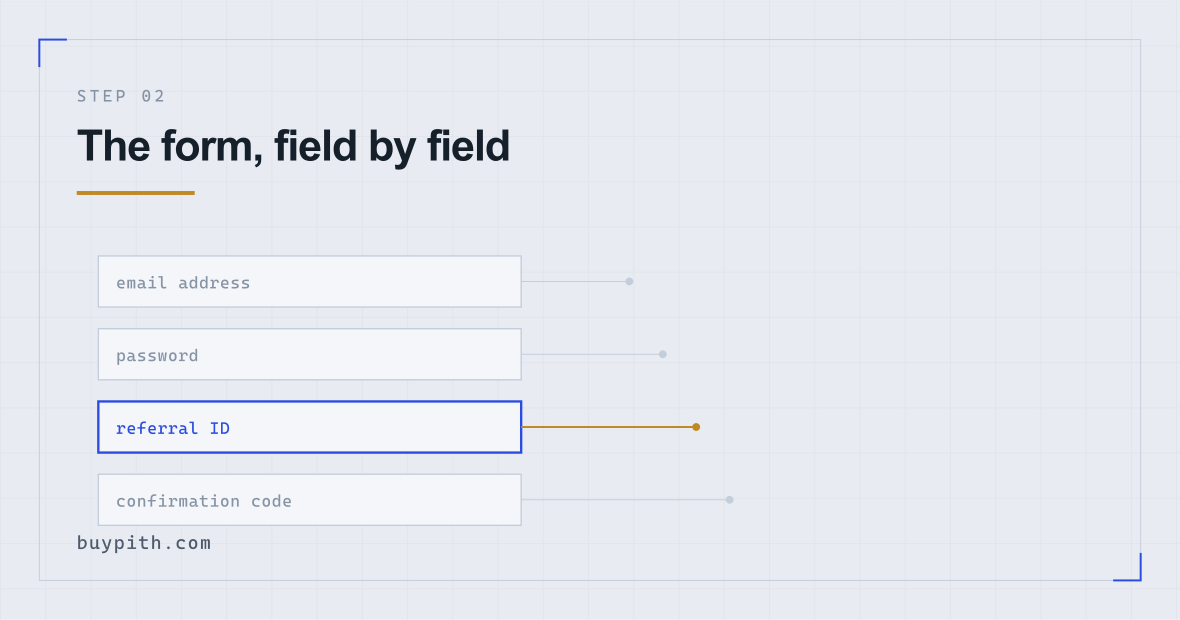
- The form: every field, including the referral box that only appears if you expand it.
- Verification: what the check actually does, and why a photo of a photo fails.
- Rejections: four fixable reasons, each with what to change.
- Before funding: four settings that take ten minutes and matter more than anything else here.
An exchange account is a regulated financial account. That framing explains most of what is about to happen to you: the identity documents, the selfie, the wait, the questions about where your money comes from. None of it is the exchange being difficult. It is the same paperwork a bank would put you through, compressed into a phone screen and moving faster.
What follows is the process on Binance, because that is the platform this site uses as its example throughout. The specifics of the layout will drift — interfaces get redesigned — but the set of things being asked of you is stable, and so is the list of things that go wrong.
Have these four things ready first
Ten minutes here saves a rejected application later.
- An email address you control, that nobody else reads. This becomes the recovery route for an account with money in it. Not a shared household address, not a work address you might lose access to when you change jobs.
- The phone you carry every day. Verification codes and, shortly, two-factor authentication will live on it.
- An identity document that is currently valid. Passport, national ID card, or driving licence depending on what your country offers. Expired by a week is still expired.
- The name on that document, exactly. Middle names, accents, hyphens, and the order of surnames all have to match what you type. A mismatch between the typed name and the document is a rejection you can avoid entirely by checking before you submit.
Decide whether you are doing this on a phone or a laptop. You can start on either, but the identity check works noticeably better on a phone, because it is built around a phone camera and its movement prompts. Starting on a laptop and switching mid-way is possible and mildly annoying.
The sign-up form, field by field
Five fields, one of which is hidden until you ask for it.
Email or phone number
Most regions default to email. Some see a phone-first form. Either becomes your login identifier, and it is difficult to change later, so use the one you intend to keep. If a country selector appears before anything else, set it to where you actually live and can prove you live — not where you would prefer to be, because the documents you upload later have to agree with it.
Password
Generate one in a password manager and let it be something you could not memorise. The realistic threat is not somebody guessing; it is credential stuffing — automated attempts using passwords that leaked from unrelated sites years ago. A password you have used anywhere else is the one genuine vulnerability on this screen.
Referral ID (optional)
This field is easy to miss, because it is collapsed. It usually sits under the password field as a small link reading something like Enter referral ID (optional) or appears on the next screen after the code check. Clicking it opens a short text box.
What it does: credits the account of whoever the code belongs to with a share of the fees you later generate, and — depending on how the exchange's programme is set up at the time — may also discount your own trading fees. It does not link the two accounts in any other way. The person whose code you used cannot see your balance, your trades, or your identity, and cannot act on your account in any respect.
What it does not do: cost you anything. The code owner's share comes out of the exchange's side of a fee you would have paid at the published rate anyway, so your own costs go down or stay the same — they cannot go up because of it.
Using this code does not increase what you pay; any discount on your own fees is Binance's to set*. It is a promotional code — see how we make money.
* We do not quote a discount figure. Binance's own introduction to its referral programme (checked October 2026) describes the commission it pays the referrer and no standing discount on the referred user's own fee rate; whether part of that commission is shared back with you is a setting fixed when the link is created, and the rate is Binance's to change or withdraw. Whatever its sign-up page displays at the moment you register is what applies to you.
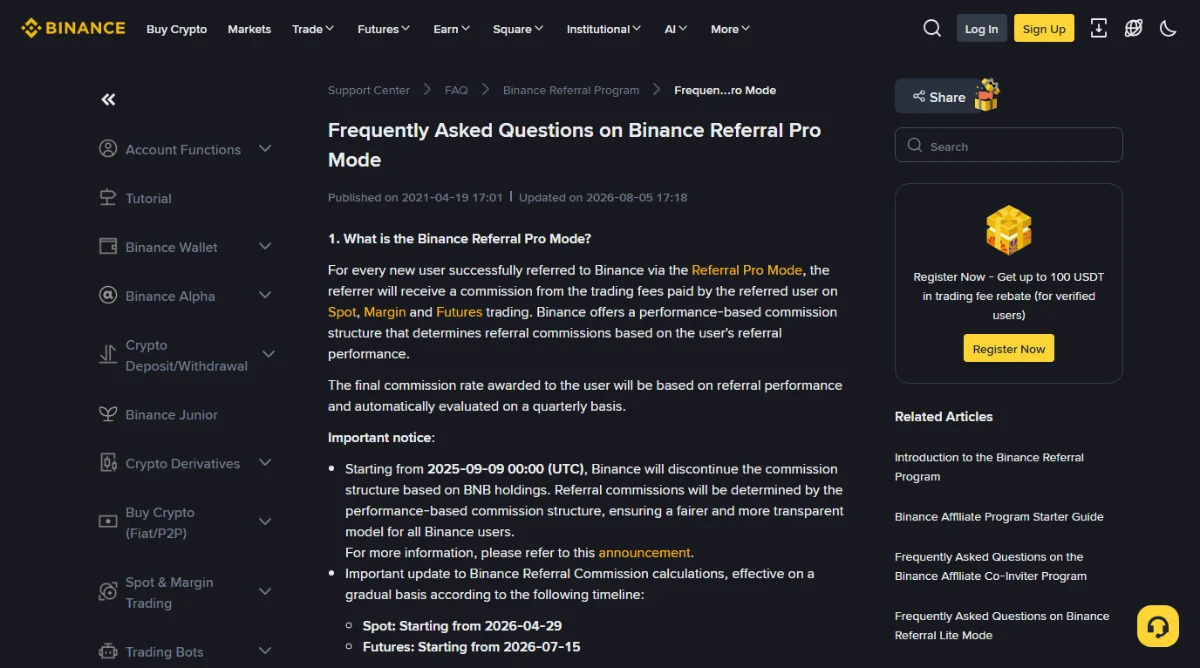
Missing the field is not always permanent: question 4 of Binance's Referral Pro FAQ lists eligibility and the binding entry to check before funding (reviewed October 2026).
The link below is a promotional link. It goes to Binance's own sign-up page with our referral code already filled in, and the arrangement behind it is set out in full on our how we make money page. If you would rather use the site without it, go to Binance directly and leave the referral field blank — nothing here works differently either way.
The terms checkbox
Nobody reads it and we are not going to pretend otherwise, but two things in there are worth knowing: which legal entity you are actually contracting with (it varies by country and is not always the one on the logo), and what happens to your balance if the account is suspended. Both are findable in the terms of use if you ever need them.
The code that arrives afterwards
A six-digit code to your email or phone. If it does not appear: check spam, check the address for a typo, and then request one more. Each new request invalidates the previous code, so people who click resend five times end up typing a dead code and concluding the system is broken.
Verification: what is actually being checked
You have a login now. On Binance, deposits and trading stay locked until identity verification passes; other providers set this by their local rules. Expect to provide a document, a live selfie, and in some countries a proof of address.
Behind the scenes, roughly this happens:
- The document image is read — the machine-readable zone on a passport, or the equivalent fields on an ID card — and checked for signs of tampering or of being a photograph of a screen rather than of a physical document.
- The selfie is compared against the document photograph, and checked for liveness: the movement prompts exist to confirm a real person is present rather than a still image.
- Your name and date of birth are run against sanctions lists and politically-exposed-person databases.
- Country and residency are cross-checked against the rules that apply where you are, since not every product is available everywhere.
Most of this is automated. A clean case can be approved before you have closed the tab. Anything that scores poorly on any check goes into a human review queue, and human queues have no published length — which is why no honest article can give you a number.
If the flow asks for a live capture, photograph the physical document, not a copy displayed on another screen. If it offers manual upload, use a file meeting its stated requirements; that option varies by country. For face verification a supported webcam can work too. Binance's personal-account verification guide and card-purchase verification FAQ describe these options (reviewed October 2026).
Why applications get rejected, and what to change
These are four causes you can fix yourself. The message you receive usually names one of them, though not always in helpful language.
| What it says | What it usually means | What to change |
|---|---|---|
| Document unreadable / poor quality | Glare, blur, a cropped edge, or a shadow across the machine-readable strip | Flat surface, no direct light, all four corners inside the frame, no fingers over the text |
| Information mismatch | The name or date of birth you typed differs from the document, including middle names and accents | Retype to match the document character for character, in the same order |
| Selfie does not match / liveness failed | A photo of a screen, a still image, poor lighting, or a face partly covered | Live capture on a phone, plain background, no hat or glasses, follow the movement prompts |
| Document type not accepted | That document is not on the accepted list for your country, or it has expired | Check which types your country's list accepts and use one of those |
A rejection is not a ban. Fix the specific thing named and resubmit once. What causes real trouble is resubmitting the same failing image repeatedly, or opening a second account to start over — that gets both accounts restricted and turns a two-hour problem into a two-week one. The longer version of this table is organised by the exact error message, if you want to look yours up.
Verification comes in levels, and you probably need the first one
Exchanges do not treat verification as a single yes-or-no gate. There are tiers, each unlocking more, each asking for more. The names change between platforms and over time, but the shape is consistent:
- Registered but unverified. You can look around. You generally cannot deposit money, buy, or withdraw. Some platforms allow small crypto deposits at this level; that is not useful to a first-time buyer with a bank account and no coins.
- Basic identity verified. Document plus selfie. This unlocks ordinary buying, selling, and withdrawal within daily limits that are far above anything a first purchase involves.
- Address or enhanced verification. A utility bill, bank statement, or equivalent showing your name and address, sometimes with questions about employment and source of funds. Required for higher limits, and in some countries required outright before anything works.
For a first purchase of a modest amount, the basic tier is almost always enough. Do not volunteer documents for a tier you have not been asked for — each additional submission is another thing that can be rejected and another queue to sit in.
If your screen looks different: some countries have the address step folded into the initial flow rather than offered later, and a few jurisdictions require it before any deposit at all. That is a local regulatory difference, not something gone wrong.
If you are asked where the money came from
At some point — at sign-up or at a later deposit — you may be asked to state your source of funds, your occupation, or your expected trading volume. It can feel intrusive, so it is worth explaining rather than just listing.
The exchange is required to have a sense of whether the activity on an account makes sense for the person behind it. An account declaring a modest income that suddenly moves large sums is a pattern their compliance systems are obliged to notice. The questions exist so that ordinary activity has an ordinary explanation attached to it in advance.
Practical guidance: answer accurately and unremarkably. Salary is salary. Savings are savings. Do not inflate an expected trading volume because a larger number sounds better — it does not unlock anything useful and it sets an expectation your account will not meet. If you are asked for supporting evidence, a payslip or bank statement is what they mean, and it is uploaded through the same secure flow as your ID rather than emailed to anyone.
Source-of-funds requests appear inside your account, in the verification section, after you log in yourself. A request arriving by email, text, or chat with a link attached is phishing, regardless of how official it looks. Log in the way you normally do and check whether the request is really there.
Four settings to turn on before you deposit anything
Do this now, while the account is empty and there is nothing at stake. Every one of these is harder to care about after money arrives, which is precisely why the money should arrive second.
- Two-factor authentication using an authenticator app. Not SMS. Text-message codes can be intercepted by someone who persuades your mobile operator to transfer your number to a new SIM — an ordinary, documented attack. If both are offered, enable the app and drop SMS as a second factor.
- The 2FA backup key, written down offline. When you set up the authenticator you are shown a recovery string. Write it on paper. Screenshotting it into your photo library puts it in the same place as everything else you have ever photographed, including in whatever cloud that syncs to.
- An anti-phishing code. A short phrase you invent, which the exchange then embeds in every genuine email it sends. Any email claiming to be from them without that phrase is fake, and this single setting lets you spot fake emails that copy the exchange's look. It is off until you switch it on.
- Withdrawal address whitelisting. Restricts withdrawals to addresses you approved in advance, usually with a cooling-off delay before a new address becomes usable. The delay is the feature — it is time to notice something is wrong.
There is a fifth thing, which is not a setting: know what real support looks like. Binance staff will never contact you first about your account, never ask for your password or 2FA code, and never ask you to move funds to a “safe” address. Anyone doing any of those is running a scam, and new account holders are the specific target. If you need to check a policy, the official support centre is reachable from inside your own account rather than from a link someone sent you.
Why your country changes several of these steps
A frustrating amount of advice about exchange accounts is written as though there is one global version of the product. There is not, and the differences are large enough that following a guide written for somewhere else will leave you looking for a button that does not exist where you are.
What varies:
- Which entity you are actually signing up with. Large exchanges operate through different local entities under different licences. The terms you accept, the protections you have, and the regulator you could complain to all follow from that, and none of it is visible on the sign-up page.
- Which payment methods appear. Bank transfer rails are national. What shows on your deposit screen depends on where your account is registered, and a method that is standard in one country is simply absent in the next.
- Which products are available at all. Some features are restricted or withdrawn in particular jurisdictions. A guide describing a feature you cannot see is usually describing a different country rather than an out-of-date interface.
- How much verification is required before anything works. Some places require address confirmation up front rather than as an upgrade.
The practical consequence: when this guide and your screen disagree, your screen is right. Use the exchange's own regional help pages for anything that looks country-specific, and be suspicious of any advice that tells you to select a country other than the one you live in — your documents have to match it later, and the mismatch surfaces at withdrawal, which is the worst possible moment.
What the account can and cannot do yet
Verified, secured, and empty. From here the sensible order is: put money in by the cheapest route that suits your timing, then buy. Card is fast and expensive, transfer is slow and cheap, and the gap matters more on small amounts, because some card charges do not shrink with the amount — the fee impact table shows why.
One thing this account is not: a wallet you control. A balance here is a claim against the company, recorded in their database. That is a normal way to hold a small amount and a poor way to hold a large one, and the distinction is worth understanding before rather than after — what that actually means is a page of its own.
Questions before you start
Can I add a referral code after I have already signed up?
Sometimes. Binance lets eligible accounts registered within 30 days, without an existing referral, deposit or trade, apply through question 4 of its Referral Pro FAQ. Other eligibility checks apply; an established referral cannot be changed.
Does using a referral code cost me anything?
No. It pays the code owner a share of the fees you do end up paying, taken out of the exchange's side of them, and where the referrer chooses to share part of it with you, it comes back to you as a rebate on your trading fees. Your costs go down or stay the same; they cannot go up because of the code. Whether any discount reaches you is the exchange's setting and it can change, so the figure shown on their page when you register is the one that applies.
Can I open an account without giving identity documents?
You can create the login first. Binance requires new users to complete identity verification before accessing deposits and trading. Other providers follow their own local requirements. A claim of "no verification" does not establish that a service is lawful or safe; check who operates it and whether it can serve your location before sending money.
Do I have to use my real name?
Yes, and it has to match your document exactly. An account in a name that does not match the verification documents will fail the check, and if it somehow passes, it will fail again at withdrawal — which is a much worse moment to find out.
Is one account per person the rule?
On most major platforms, yes. Opening a second account to work around a verification problem is a direct route to having both restricted. If something is stuck, deal with it through support on the original account.