Receipt against statement
Your card statement shows more than the exchange receipt — where the extra came from
The exchange receipt and your bank statement are written by two different businesses, often in two different currencies. Line them up, and the gap usually splits into a conversion rate and one or two fees your card issuer added afterwards.
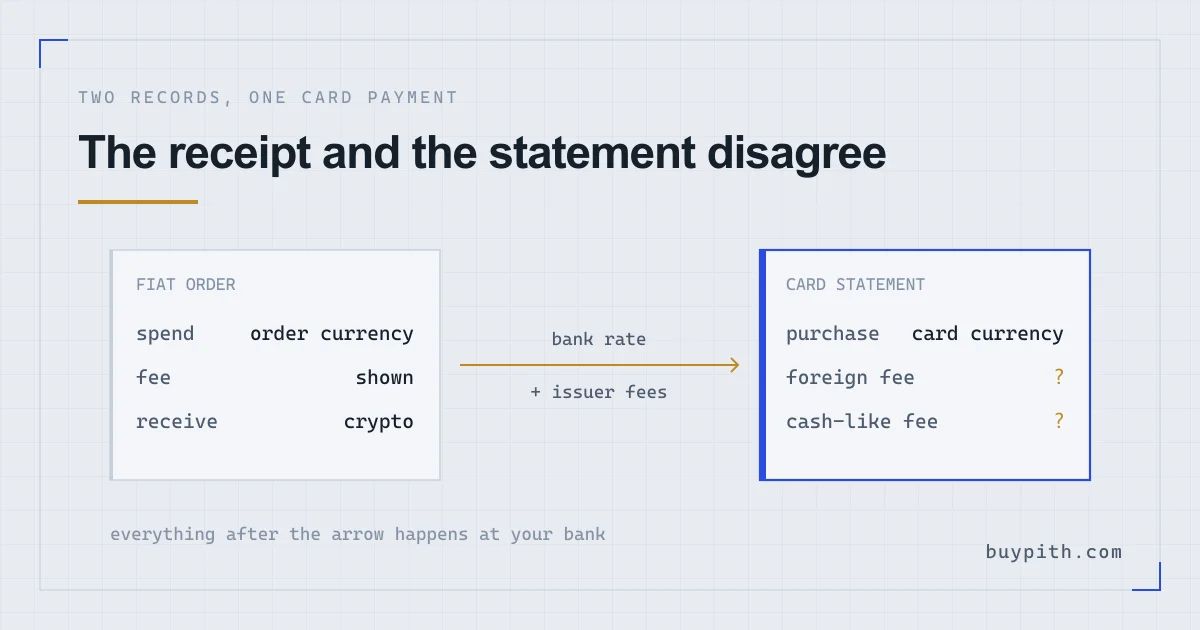
An exchange receipt records what the crypto cost in the currency of the order, plus the exchange’s own fee. Your card statement records what your bank took from your account to pay for it. When the second number is bigger, the extra almost always comes from your side of the payment: the rate your bank used to convert the money, a foreign transaction fee, or a cash-advance style fee some issuers apply to crypto.
Binance says as much in its card-purchase help page. Under “Why is there an additional fee when I buy crypto?” it answers that some banks may classify crypto transactions as quasi-cash payments, resulting in additional fees, and that if you were charged an extra fee you should contact your bank to clarify the reason. The work on your end is finding out which of those fees it was.
- 1Find the order in the exchange’s history and note its currency, spend and fee.
- 2Compare that currency with the currency your card account is held in.
- 3Look for a second line on the statement, or a fee folded into the main line.
- 4Match each leftover amount to the bank’s fee schedule before you ring anyone.
Put the Fiat Order next to the card statement
On Binance, card purchases sit under [History] → [Fiat Order], which is also where the help page tells you to check order details when you received less crypto than expected. On the web version the list has a Spend / Receive Amount column, a Fee column, a Price column and a Status.
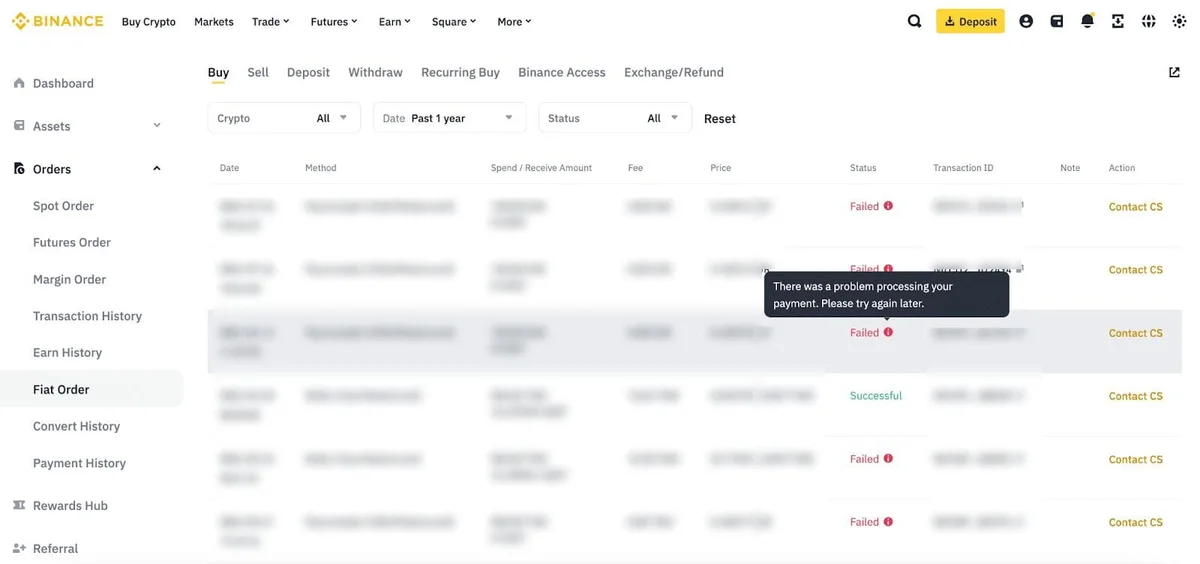
Write down three things from the successful row: the amount in Spend, the currency it is written in, and the Fee. That spend figure, fee included, is the most the exchange asked your card for. Anything on the statement above it was added by the bank, the card network, or a conversion between the two currencies.
Then check the same payment in your banking app, not the monthly statement: the app often lists the original currency, the rate and any fee on separate lines.
The order was in one currency, the card in another
Binance’s card page lists fifty currencies you can pay in, from AED and AUD through EUR, GBP and KZT to USD, UZS and ZAR. You pick one in the currency box on the buy screen. If the one you picked differs from the currency your card account is held in, the exchange charges the card in the order currency and your bank converts it.
Your bank, or its card network, chooses that rate. The exchange never sees it, so the receipt cannot show it. Suppose the order says 100 in euros and your account is in pounds: the statement shows however many pounds your bank decided 100 euros were worth on the day it processed the payment, and then any foreign transaction fee on top of that.
Rough check: statement amount ÷ order spend = the rate you were effectively given. Compare it with the reference rate your card network publishes for that date. A small gap is usually the conversion margin; a gap that matches a round percentage of the payment is usually a separate fee.
The simplest fix next time sits on the buy screen: if your card’s own currency appears in that list, choose it. That removes the bank’s conversion step, though it may leave the next fee in place.
Foreign transaction fee on a crypto purchase in your own currency
Paying in your own currency does not always make a payment domestic. In the US rules for credit card disclosures, the official interpretation of the fee table counts as a purchase transaction charge “any fee imposed by the issuer for purchases in a foreign currency or that take place outside the United States or with a foreign merchant” (Regulation Z, comment 60(b)(4)-2). Three separate triggers, and only one of them involves a currency.
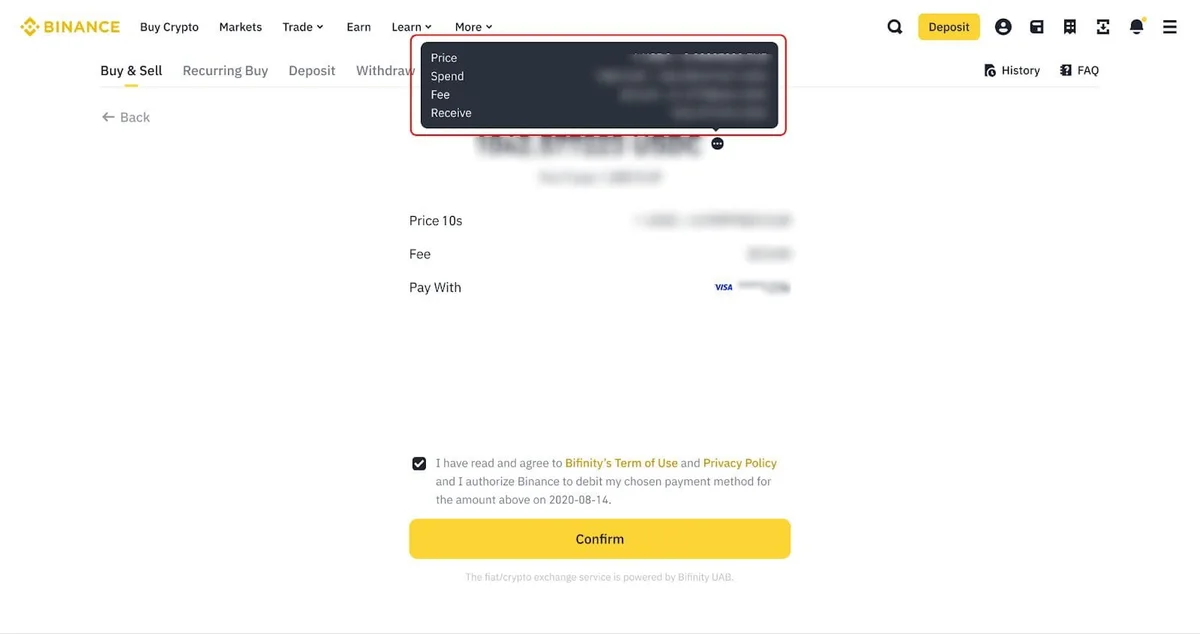
The confirmation screen in Binance’s own example ends with a small grey line: The fiat/crypto exchange service is powered by Bifinity UAB. UAB is the Lithuanian private company form. Which entity handles your payment can depend on where you live, and the line on your own confirmation screen is the one to read. If that company sits outside the country that issued your card, a card that charges for foreign-merchant purchases can add its fee even though the order was in your currency.
On the statement this tends to show up as its own line, often labelled something like “foreign transaction fee” or “non-sterling transaction fee”. On a US credit card the percentage is printed in the fee table of the card’s application and account-opening disclosures.
Cash advance or quasi-cash fee on a credit card
This is the expensive one. Card issuers sort transactions into categories, and some put crypto purchases into the cash-like group rather than ordinary purchases. Binance’s word for it is quasi-cash. The CFPB’s plain-language credit card contract definitions list what typically counts as a cash advance — ATM cash, wire transfers, foreign currency, traveler’s checks, money orders, gambling chips — and crypto is missing from that list. Whether your purchase lands in that bucket is your issuer’s decision, written into your own card agreement.
When it does, the fee usually appears as a separate line, and the purchase may also start accruing interest at the cash-advance rate from the day it posts. Buying crypto with a credit card goes through how that interest works and why it can cost more than the fee itself.
Two charges, or a charge for a purchase that failed
Sometimes the extra amount is a whole second payment. Before treating it as a fee, look at the Status column in Fiat Order. Binance’s FAQ says that if payment was deducted for a failed transaction, the amount is refunded to your card, and that the refund may take a few days to appear on your card statement. So if one attempt failed after the card was charged and you then placed a new order, the statement can show both payments until that refund lands. An order you did not complete within the time limit simply becomes invalid, and you have to submit a new one.
A failed order shows Failed in the list. The help page says clicking the [i] button opens the explanation under [Unable to Process], and [Inquiry] sends the case to Binance Support. If the card was declined outright rather than charged, card declined when buying crypto works out who said no.
When a payment page offers to charge you in your own currency
Some checkouts — card terminals and ATMs abroad, and some online payment pages — offer to bill you in your home currency instead of the merchant’s. That offer is called dynamic currency conversion: the merchant’s side does the conversion, at its own rate, instead of your bank.
Visa’s consumer page on it sets out what you should be shown: the amount in both currencies with both currency symbols, the exchange rate used, and any additional fees or markup. It also says merchants must give you a choice to accept or decline and must not choose on your behalf. If you do not see those details, or feel pushed toward one currency, Visa recommends declining the conversion and reporting it to your card issuer.
The practical comparison takes a minute: the rate on that offer against what your own card would apply. When the offer leaves out the rate or the markup, you cannot make that comparison, and declining is the safer choice.
Who can explain each part of the difference
| What you found | Who set it | Where to ask |
|---|---|---|
| Statement amount higher than Spend, no separate line | Your bank or card network, through the conversion rate | Bank: ask for the rate applied and the date it was applied |
| Separate line labelled as a foreign or non-local transaction fee | Your card issuer | Bank: ask which trigger applied — currency, merchant location, or both |
| Separate line labelled cash advance or similar | Your card issuer’s transaction category | Bank: ask whether crypto purchases are classed as cash-like on your card |
| A second full-size charge | Usually a failed or repeated order | Exchange first: check Status in Fiat Order, then [Inquiry] if a failed order was not refunded |
| Spend itself higher than what you typed | The exchange’s quote and fee | Exchange: the receipt shows the price and fee it used |
Only the last two rows belong with the exchange. A fee your bank posted afterwards is out of its sight.
Before the next card purchase
- Pick the order currency deliberately. If your card’s currency is in the list, choosing it takes the bank’s conversion out of the payment.
- Read two lines of your card’s fee schedule: the foreign transaction fee and the cash advance fee, along with any note on what the issuer treats as cash-like.
- Read the confirmation screen to the bottom. Binance’s example shows a short price countdown beside the price, and the help page warns that the price and amount of crypto may be recalculated automatically. The Spend figure you confirm is the one to compare later.
- Consider whether a card suits this purchase at all. A bank transfer in your own currency avoids card-issuer fees, though it brings its own wait. Debit card or bank transfer sets the two side by side.
The full list of what a first purchase can cost, including the exchange’s own fees, is in what fees am I actually paying. This page covers only the part that happens after the money leaves the exchange’s screen.
Questions people actually ask
Will the exchange refund a fee my bank charged?
Binance’s help page sends you to your bank for an additional fee on a card purchase, because the fee was set and collected on the bank’s side. The exchange can only refund what it charged, such as a failed order that was deducted.
Can a debit card carry a foreign transaction fee too?
It can, if your account terms include one. The US definition quoted above comes from credit card rules; a debit card follows the fee schedule of the bank account it draws on, so that schedule is where to look.
Which number should I keep as what the purchase cost me?
Keep both. The Fiat Order shows what the crypto cost in the order currency, including the exchange fee. The bank statement shows what left your account, including conversion and any card fees. The difference between them is what the card route cost on top.