Three numbers, one purchase
Your order filled at a different price than the one you saw
You looked at one price, pressed Buy, and the receipt says something else. Check spread and slippage, then the fee amount and currency separately. The gap depends on the market and purchase route.
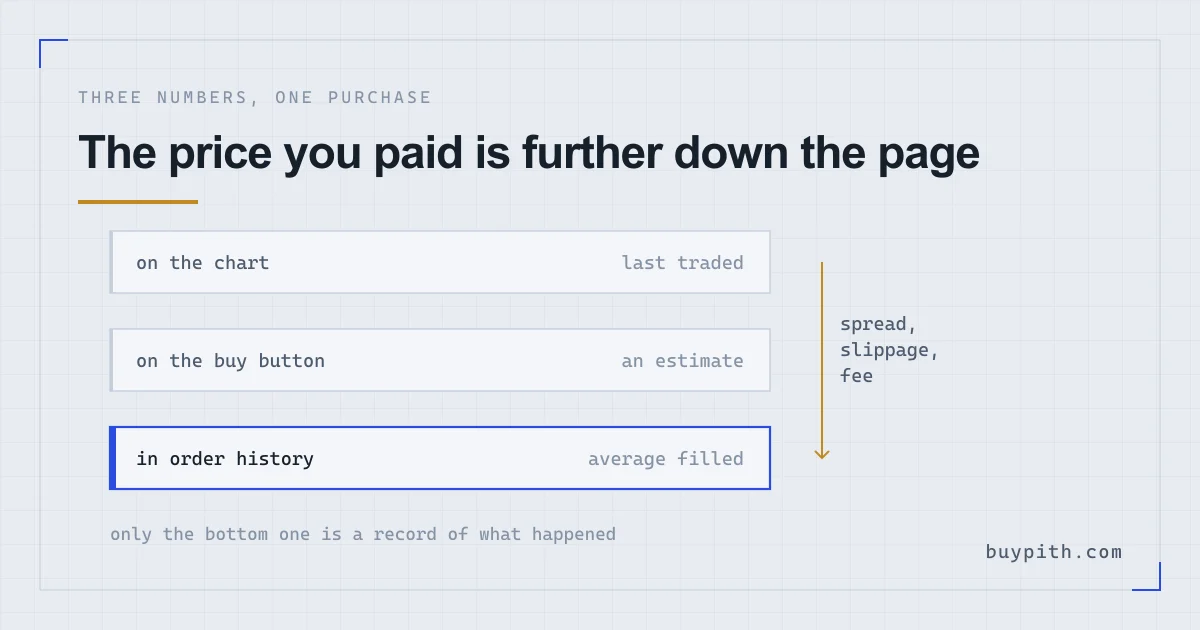
The fill price can differ from the chart because of spread and market movement. Start with Order History and compare the average price with the individual fills. If fewer coins arrived than expected, check the fee too: it is accounted for separately from the fill price.
The price on the chart at the moment you pressed Buy — a record of the last trade two other people made, not an offer standing open for you.
The average filled price in Order History is the total value of fills divided by the filled quantity. Fees are accounted for separately.
Spread and slippage affect execution prices; the fee affects total costs or the quantity received. Check them separately.
Find the number that counts first
Before diagnosing a gap, make sure you are reading the right figure. A spot purchase leaves three prices behind on the screen, and only one of them is a record of anything.
- The ticker or candle price — the last price at which somebody traded. Published, public, and already in the past by the time you look at it.
- The estimate on the order form — what you would get if the book stayed exactly as it stands while you decide. A projection with a short shelf life.
- The average filled price — in Order History. Binance’s own instructions for a market buy end with this line: you can check the amount of BTC purchased and the average price from Order History. That figure can be above, below or equal to the price you saw before buying.
Trade History, one tab along, goes further and splits a single order into the separate fills it was assembled from, each with its own price and its own fee.
Why a buy can differ from the chart price
The bid is the highest current buy offer; the ask is the lowest sell offer. A market buy starts at the available ask. The last-traded chart price records an earlier trade and need not sit between the current bid and ask, because orders may have changed. Your fill can match it, but a match is not guaranteed.
That distance has a name — the bid-ask spread — and Binance Academy calls it a hidden cost present in every trade. You can measure yours:
Spread as a percentage: (ask − bid) ÷ ask × 100. Binance Academy’s worked example uses an ask of $10.00 against a bid of $9.99, giving 0.10%. On a heavily traded pair the figure is a small fraction of a percent; on a thinly traded one it can be whole percentage points, and your receipt will show it.
Market orders take liquidity and execute as takers. Maker and taker rates may differ depending on the pair and account conditions. A limit order can also execute as a taker; its order type alone does not guarantee a lower fee.
A market order walks up the book until it is full
Slippage can affect small orders too, especially when prices move quickly. A market order takes the best available offer, then the next one, then the next, until the quantity you asked for has been gathered. Each step up costs a little more, and what lands in your history is the weighted average of all of them.
Binance puts a number on this in its own example. With a current price of 2,400, the help page says the average filled price of your order may not be exactly 2,400: for buy orders it may be slightly above the current price, for sell orders slightly below. Academy gives the same event its trading name, slippage, and the mechanism behind it — once the liquidity sitting at your price runs out, the rest of the order fills at higher prices further up the book.
It can also run the other way. Positive slippage, where a buy fills below the price you expected because the market moved in your favour in the seconds between, is less common but real. Nobody writes in to complain about that one.
The coins come up short because the fee was taken in coins
Here is the mechanic that gets mistaken for a bad price, and it has nothing to do with price at all.
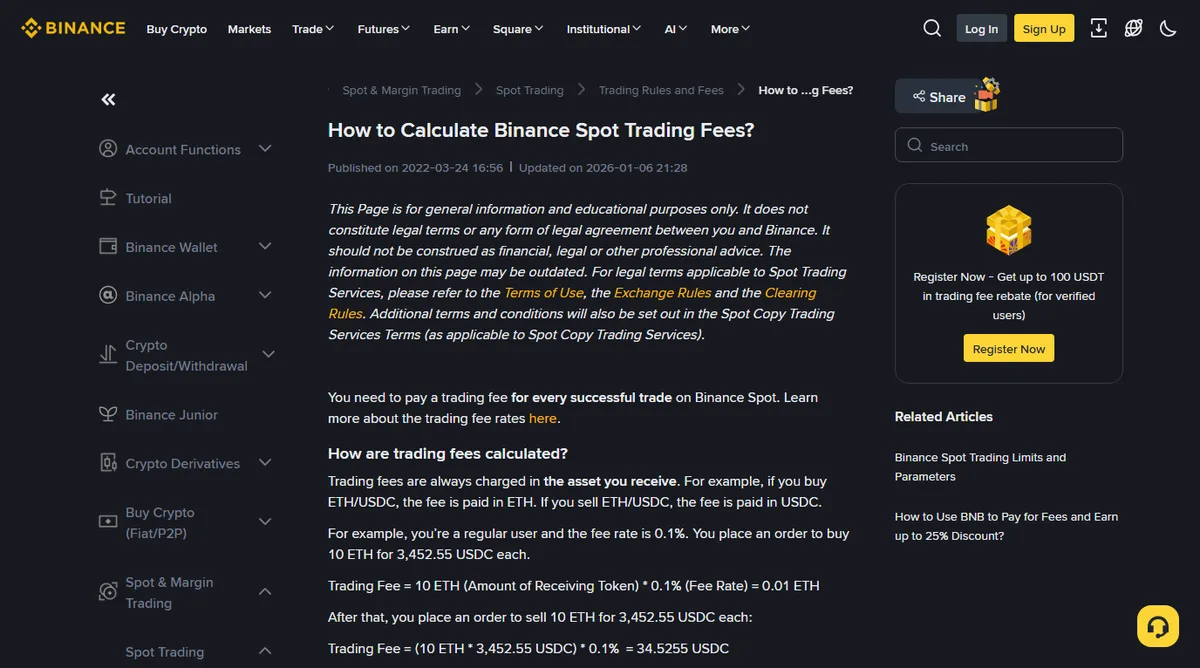
When fees are not paid in BNB, spot fees are normally charged in the asset you receive. Buy ETH with USDC and the fee leaves in ETH; sell ETH for USDC and it leaves in USDC. Binance’s worked example takes a regular user at 0.1%, buying 10 ETH, and deducts 0.01 ETH. The buyer paid the price they paid — and 0.01 ETH fewer coins arrived.
So a wallet balance that reads below the quantity on the order form has usually not been mispriced. Subtract the fee from filled quantity only if both are in the purchased asset. If paid in BNB, account for it separately; do not subtract BNB from an ETH or BTC quantity. The same page adds a caution worth keeping: the estimated fee shown on the trading page is for reference only, and the real figure depends on the final amount of assets the executed trade delivers. The help page checked in October 2026 lists a 25% discount for paying spot fees in BNB; check your account conditions. This also changes the asset used to pay the fee. What fees am I actually paying takes the whole stack apart, deposit charges included.
Amount or Total decides which side stays fixed
On the Binance spot buy panel the choice between the two input fields changes the shape of the order, and Binance labels them differently behind the scenes: selecting Amount places a market order, selecting Total places what it calls a reverse market order.
- By Total. You fix the money — 100 USDT in, however much bitcoin that buys. The quantity floats with the fill price, while the executed total also depends on pair rules and available liquidity. Check fees separately.
- By Amount. You fix the coins — 0.001 BTC, whatever it costs. The spend floats instead.
Fixing the coins has one failure mode worth knowing about. Binance describes it directly: if the system works out that your balance buys a given quantity, and the price rises while you are clicking, the balance no longer covers that quantity and the order will not complete. The page notes this happens most often when the buy ratio sits at or close to 100% — in other words, when you spend the whole balance. Leave a little room, or switch to Total.
The simplified screens hand you one number instead
None of the above is visible on the beginner-facing routes. Binance Convert in Instant mode works from a quoted price rather than an order book: you are shown a rate, you accept it, and the conversion happens at the rate on the screen. Convert’s own help page describes Instant mode as converting your assets at the current market condition based on the quoted price in the conversion.
The quote is simpler to use and leaves you nothing to inspect. Comparing a Convert receipt against a candle on the spot chart compares two numbers assembled in different ways — the honest comparison is the quote against the spot bid and ask at the same minute, which means opening the spot pair alongside it before accepting.
When the gap is larger than small change
There is no universal acceptable gap. Compare the same pair at the same time, then check these four possible causes.
- The route. Card and one-click buy screens quote a single all-in number rather than a book, so whatever separates it from the chart arrives bundled and unitemised.
- The pair. Thin books carry wide spreads. A quiet pair can cost more to buy through; compare current quotes and available quantities.
- The size. An order large relative to what is resting at the top of the book will climb it. Academy’s advice here is to split such an order into smaller pieces.
- The arithmetic. Fee and price confused for one another, which you can check using the fee amount and currency in Trade History.
What changes the number next time
A buy limit order caps the execution price. It can fill across several book levels at or below that limit, while some or all of the order may remain unfilled. The trade-off arrives as silence: an order at a price the market declines to reach simply sits there, and an unfilled limit order is its own kind of problem.
The choice depends on whether you need a price cap or want to attempt an immediate purchase. A limit order does not guarantee execution, and a market order does not fix the price. Market order or limit order compares those conditions.
One habit for after the next purchase: open Order History before closing the tab and write down the average filled price. Every later question about that purchase gets measured against that one figure, alongside the filled quantity and the fee amount and currency.
Questions people actually ask
Where do I find the price I actually paid?
Order History holds the average filled price for the whole order. Trade History breaks the same order into the individual fills it was made of and shows the fee charged on each one.
I received fewer coins than the preview showed. Was something taken?
Check the filled quantity and fee. A fee in the purchased asset reduces the quantity received; a fee paid in BNB is deducted separately in BNB. A changed fill price can also change the quantity relative to the preview.
Does a limit order remove the difference?
It caps the buy price, but fills can occur at several levels at or below the limit. Fees are accounted for separately, in the received asset or BNB. The order can fill partially or remain unfilled.