Why every article that gives you a number is guessing
How long does verification take?
Minutes or days, and the difference is decided by things you cannot see. Rather than invent a figure, this covers what pushes a case one way or the other — and when waiting has genuinely gone on too long.
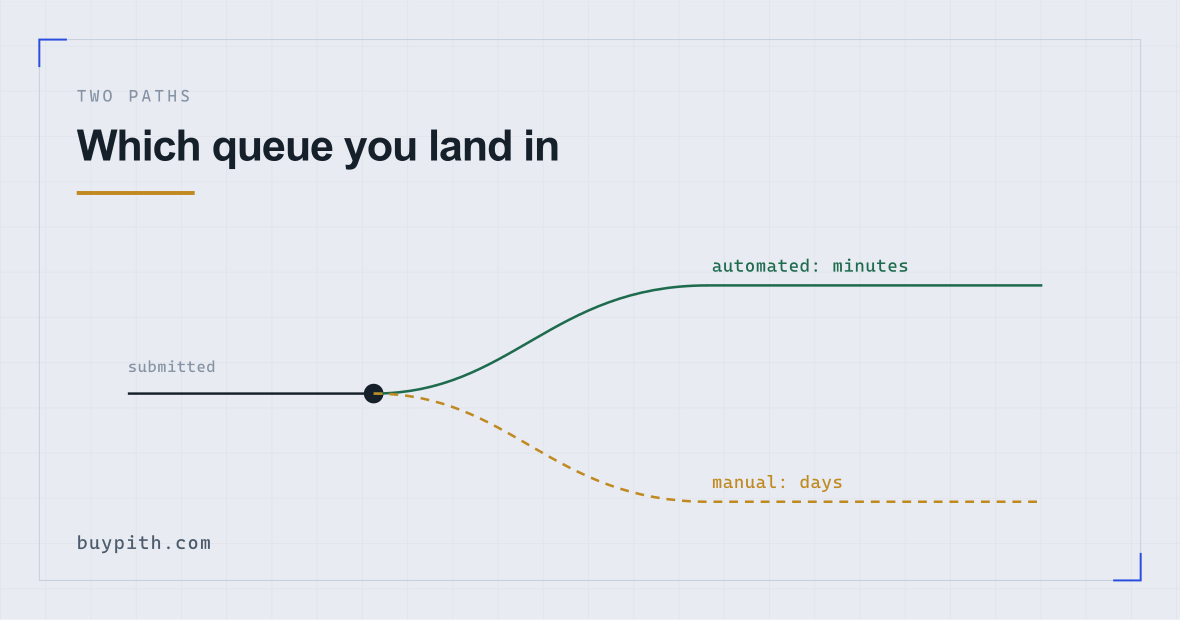
- Fast pathAll automated checks pass. Approval can arrive before you have closed the tab.
- ForkAny check scores poorly — blurred document, borderline face match, a name resembling a screening-list entry.
- Slow pathA human reviews it. Queues have no published length and vary with how busy the platform is.
Why there is no number on this page
Search this and you will find confident figures. They are unreliable for a structural reason: verification is not one process with one duration. It is an automated pipeline with a human queue attached, and which one you land in changes the answer from minutes to days.
Binance's help article on identity verification (checked 2026-10) says a submission is usually reviewed within 48 hours and that some cases take longer; beyond that window platforms decline to promise a time, and that reticence is honest rather than evasive. Queue depth changes with sign-up volume; a platform in a busy week is a different platform from the same one a fortnight later. Any figure written into an article is a snapshot of one country, one document type, and one week.
What is worth having instead is a sense of what routes your case to the fast path.
What makes it fast
- A passport rather than another document. The machine-readable zone is standardised internationally, so it reads more reliably than a national card or licence with a country-specific layout.
- A clean capture. Flat, evenly lit, all four corners in frame, no glare across the text.
- A live phone capture for the selfie. The check is designed around phone cameras; laptop webcams score lower and get referred more often.
- Details that match exactly. Name and date of birth character-for-character as printed, including middle names and accents.
- An unremarkable name for screening purposes. Not something you control, but a name resembling an entry on a sanctions or politically-exposed-person list will be referred for human confirmation, and that is a legal requirement rather than suspicion of you.
What makes it slow
- Any of the above in reverse — particularly a poor capture, which is the most common cause and the one entirely within your control.
- Address verification where required. It usually involves a separate document and a separate review.
- Volume. Sign-up surges after periods of heavy price coverage, and queues lengthen accordingly. Applying during a quiet week is faster, though you will not know which kind of week you are in.
- Weekends and holidays, for anything that reaches a human. The automated path does not sleep; the review teams do.
- Resubmissions. Each new attempt generally goes to the back of the queue rather than resuming where the last one stopped.
Repeatedly resubmitting while a case is already under review. It does not escalate anything; it adds entries to the queue and, in some systems, is treated as a risk signal in its own right. That is the route from “waiting a while” to “account restricted”. One submission, then wait.
When waiting stops being normal
No fixed threshold exists, but a workable approach:
- Hours: entirely normal, including for cases that eventually pass automatically. Do nothing.
- A day or two: normal for a case in manual review. Still do nothing.
- Beyond several days with no status change: a single support ticket asking for a status update is reasonable. Ask; do not resubmit, and do not open a second account.
- A stated outcome that is not approval: that is not a waiting problem, it is a rejection to diagnose. Read the message and fix the specific thing named.
One practical point that saves people a week: check the platform's own status page or announcements before assuming your case is stuck. Verification backlogs are sometimes platform-wide and acknowledged publicly, in which case a support ticket changes nothing and waiting is the only available action.
While you wait
The account is not useless during review. Two things are worth doing, and both are more valuable than refreshing the status page:
Set up security properly. Authenticator-app two-factor, backup codes written on paper, an anti-phishing phrase, withdrawal address whitelisting. Ten minutes, and it is far easier to do now than after money arrives — the account guide covers each setting.
Decide your amount and your funding route, before you can act on either. Deciding while you cannot buy is a better time to decide than deciding while you can.
Waiting for verification is exactly when phishing arrives, because it is when you are hoping for a message. A real exchange never sends a status update with a link asking you to log in or resubmit documents. Check by logging in yourself, the way you normally do. If you set an anti-phishing phrase, any message without it is fake.
Questions people actually ask
Can I speed up verification?
Only by giving the automated checks a clean case first time: a passport rather than another document, a flat well-lit capture, a live phone selfie, and details typed exactly as printed. Once a case is submitted, nothing you do from outside makes the queue move faster.
Does it take longer at weekends?
For anything that reaches a human, yes. Automated approvals arrive at any hour, but review teams work ordinary hours, so a case referred on a Friday evening will typically sit until the following week.
My verification has been pending for days. Should I resubmit?
No. Resubmitting usually sends the case to the back of the queue rather than resuming it, and repeated attempts can be read as a risk signal. Open one support ticket asking for a status and wait for the reply.